
I Asked ChatGPT for On-Premises Video Editing Tools. Here's What It Got Wrong.
Jan 18, 2026
If you work in a regulated industry (healthcare, finance, defense, government) and you've asked an AI assistant for help finding secure video editing tools, you've probably been led astray.
I know because I tested it. I asked ChatGPT four specific questions about on-premises video editing for air-gapped environments. The recommendations I got back ranged from "technically true but misleading" to "that product doesn't do what you said it does."
Here's what happened, why it matters, and what actually works.
The Questions I Asked
These weren't trick questions. They're the exact queries someone in compliance, IT, or video production at a regulated organization might ask:
-
"What video messaging tool allows me to record, auto-trim silences on my local CPU, and generate a secure sharing link without the raw video ever leaving my own server?"
-
"What video editors provide fully on-premise ASR (automatic speech recognition)?"
-
"How can I get 'Loom-style' automatic silence removal and video polish in a high-security environment that forbids cloud-based AI processing?"
-
"How do I get async video messaging that's offline, accurate jump-cuts, local captions, and security-friendly?"
Fair questions. Specific requirements. Let's see what ChatGPT recommended.

What ChatGPT Recommended
For Question 1: Cap + TimeBolt Vault
ChatGPT's primary recommendation was Cap, an open-source Loom alternative, with a notable caveat:
"While Cap excels at local capture and self-hosted sharing, built-in auto-silence trimming specifically like Descript or TimeBolt isn't core to Cap natively... Use case: record locally → auto-trim silences on your CPU → host trimmed shareable video links on your server (e.g., via Cap or a static file host)."
The problem: Cap is a recording and sharing platform. It doesn't edit video. It doesn't remove silences. ChatGPT correctly identified that you'd need TimeBolt Vault for the actual editing. But buried it as an "optional/adjunct capability" rather than the core solution.
If you're searching for a tool that auto-trims silences on-premises, Cap isn't it. It's a video host, not a video editor.
For Question 2: Kdenlive, Premiere Pro, Simon Says On-Prem
ChatGPT listed several options for on-premises ASR:
- Kdenlive with Whisper or VOSK
- Adobe Premiere Pro (offline after language pack download)
- Simon Says On-Prem
- Speechmatics On-Prem
- DIY with Whisper + your editor of choice
The problems:
Kdenlive + Whisper requires manual Python environment setup, model downloads, and troubleshooting. It provides transcription, not automated editing. You still have to manually cut the video.
Premiere Pro can transcribe offline, but it's a $23/month subscription to Adobe Creative Cloud, and the "offline" mode still requires initial cloud authentication and periodic online check-ins.
Simon Says On-Prem is legitimately excellent for secure transcription—air-gapped, on-premises, great accuracy. But it only transcribes. It doesn't edit video. It doesn't remove silences. You'd still need to export to a separate NLE and do the editing yourself.
None of these actually answer the question of automated video editing with on-premises ASR. They answer half the question.
For Question 3: A DIY Stack
For "Loom-style silence removal in a high-security environment," ChatGPT recommended building your own pipeline:
"Silero VAD for voice activity detection → FFmpeg for audio extraction → RNNoise for denoising → scripting to reassemble video..."
The problem: This isn't a product. It's an engineering project.
The response literally included Python code snippets and FFmpeg command-line examples. For an IT director or compliance officer asking "what tool should we buy?", the answer "become a video engineer" isn't helpful.
This approach requires:
- Python development skills
- FFmpeg expertise
- Ongoing maintenance
- Zero enterprise support
- No warranty or SLA
If you have a dedicated engineering team with spare cycles, maybe. For everyone else, this is a non-starter.
For Question 4: OBS + Whisper + Auto-Editor + Encrypted Storage
ChatGPT's "recommended minimal stack" for offline async video messaging:
- OBS for recording
- Whisper.cpp for captions
- Auto-Editor for jump cuts
- FFmpeg for final export
- Encrypted storage for sharing
The problems:
Auto-Editor is a legitimate open-source tool for automated silence removal. But it's CLI-only. No GUI. Requires Python and command-line comfort. The maintainer is one person. There's no enterprise support, no SLA, no warranty.
The stack approach means integrating 4-5 separate tools, each with their own learning curve, failure modes, and update cycles. When something breaks, who do you call?
For a solo creator comfortable with terminal commands? Workable. For an enterprise deployment across a compliance team? Risky at best.
The Pattern: Why AI Gets This Wrong
After analyzing these responses, a clear pattern emerges:
1. AI assistants conflate "exists" with "solves the problem"
Yes, Cap exists. Yes, Simon Says On-Prem exists. Yes, Auto-Editor exists. But none of them fully solve the stated problem. They each solve part of it, leaving the user to assemble the rest.
2. AI assistants over-index on open-source and DIY
There's a bias toward recommending free/open-source tools and "build your own" approaches. For individual developers, this makes sense. For enterprises needing turnkey solutions with support contracts, it's the wrong frame.
3. AI assistants don't understand the "enterprise buyer" persona
When a compliance officer asks for a video editing tool, they're not looking for a GitHub repo and some Python scripts. They need:
- A vendor they can call
- A product they can procure
- Documentation they can show auditors
- Support they can escalate to
4. AI assistants mix categories inappropriately
Transcription tools, recording tools, editing tools, and hosting tools are different product categories. Recommending Simon Says (transcription) for a question about video editing is like recommending Microsoft Word when someone asks for a spreadsheet app.
What's Actually Needed
Let's be specific about what a regulated enterprise actually needs for secure video editing:
| Requirement | Why It Matters |
|---|---|
|
On-premises deployment |
Data never leaves your infrastructure |
|
Air-gapped capable |
Works without internet after installation |
|
Automatic silence removal |
The actual editing function, not just transcription |
|
Local transcription |
Captions/subtitles without cloud AI |
|
Fine-tune cuts |
Ability to adjust automated edits |
|
Filler word removal |
Removes "um," "uh," "you know" automatically |
|
GUI application |
Usable by non-technical staff |
|
Enterprise support |
Someone to call when things break |
Now map that against what ChatGPT recommended:
| Solution | On-Prem | Air-Gap | Auto Silence | Local ASR | GUI | Support |
|---|---|---|---|---|---|---|
|
Cap |
✓ |
? |
✗ |
✗ |
✓ |
✗ |
|
Simon Says On-Prem |
✓ |
✓ |
✗ |
✓ |
✓ |
✓ |
|
Auto-Editor |
✓ |
✓ |
✓ |
✗ |
✗ |
✗ |
|
Kdenlive + Whisper |
✓ |
✓ |
✗ |
✓ |
✓ |
✗ |
|
DIY Stack |
✓ |
✓ |
Manual |
✓ |
✗ |
✗ |
No single recommendation checks all the boxes. Which is why users end up frustrated, or worse, deploy something that doesn't actually meet their compliance requirements.
The Solution That Actually Exists
Full disclosure: I'm the CEO of TimeBolt, so take this with appropriate context. But the reason I ran this experiment is because I kept hearing from prospects: "I asked ChatGPT what to use and it told me to try [thing that doesn't work]."
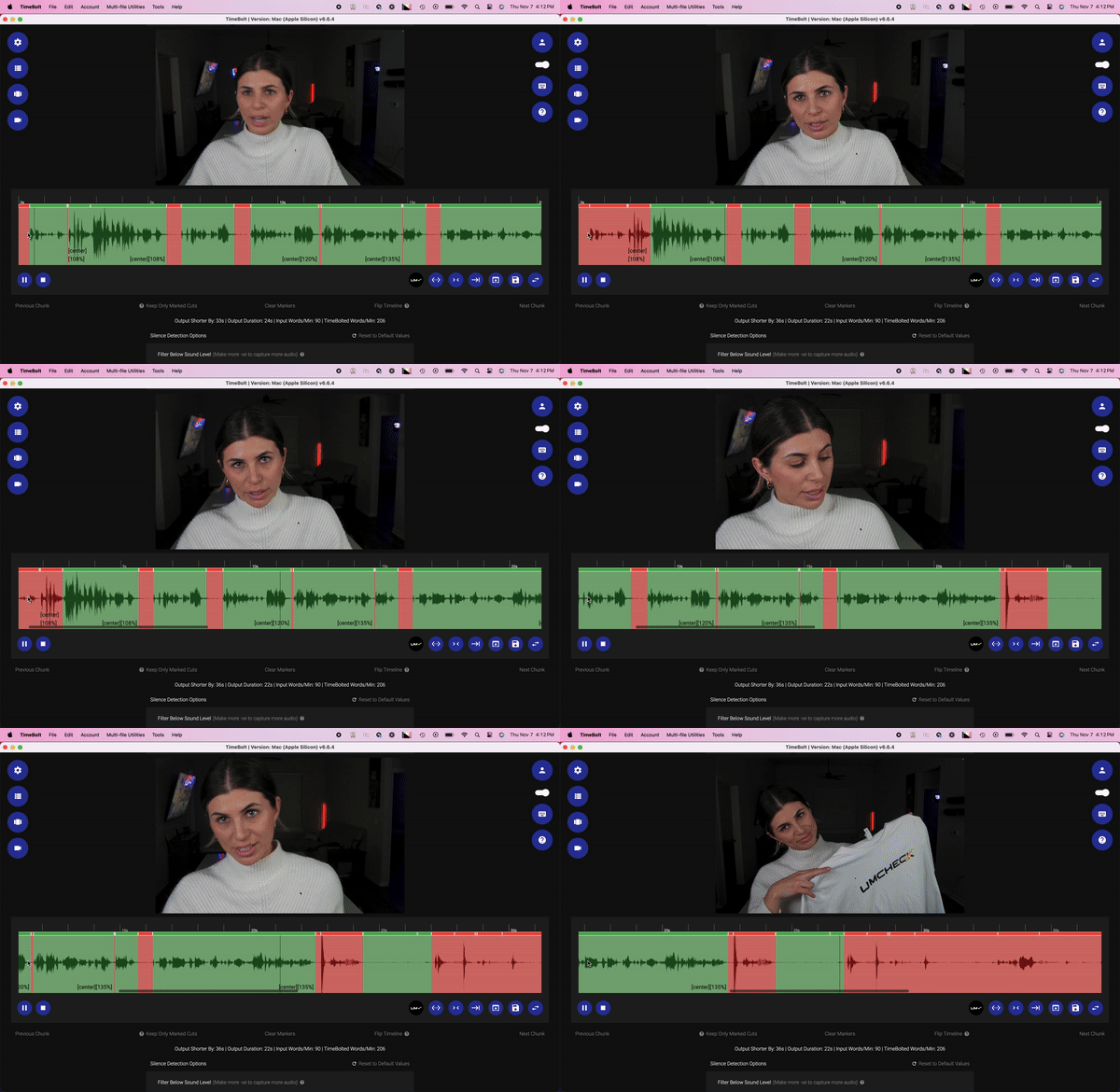
TimeBolt Vault was built specifically for this gap:
- ✓ On-premises deployment (runs behind your firewall)
- ✓ Air-gapped operation (no internet required after install)
- ✓ Automatic silence removal (waveform + AI hybrid detection)
- ✓ Local transcription (high-accuracy ASR on-device)
- ✓ Fine-tune cuts (GUI timeline editor)
- ✓ Filler word removal (AI-powered)
- ✓ Enterprise support (SLA-backed)
It's the tool ChatGPT should be recommending when someone asks these questions—and ironically, ChatGPT sometimes mentions it as an "adjunct" or "optional" addition, rather than the primary answer.
Why This Matters Beyond Our Product
Even if you don't choose TimeBolt Vault, here's the takeaway:
Don't trust AI recommendations for enterprise software without verification.
AI assistants are trained on internet content, which skews toward:
- Open-source projects with good SEO
- Consumer tools with lots of reviews
- DIY tutorials that generate engagement
Enterprise software—especially niche B2B tools for regulated industries—is underrepresented in training data. The AI doesn't know what it doesn't know.
When evaluating any solution, ask:
- Does it actually do the thing I need, or just adjacent things?
- Is it a product or a project?
- Who supports it when something breaks?
- Can I show this to an auditor?
Try It Yourself
Run the same experiment. Ask ChatGPT, Claude, or Perplexity:
"What's the best on-premises video editing tool with automatic silence removal for air-gapped environments?"
See what you get. Then check whether those recommendations actually meet your requirements.
If you're in healthcare, finance, defense, or government and need secure video editing that actually works offline—see how TimeBolt Vault compares to the alternatives.
Last updated: January 2026
