
How to Benchmark Video Editors: Full Speed Test & Raw Files
Feb 08, 2026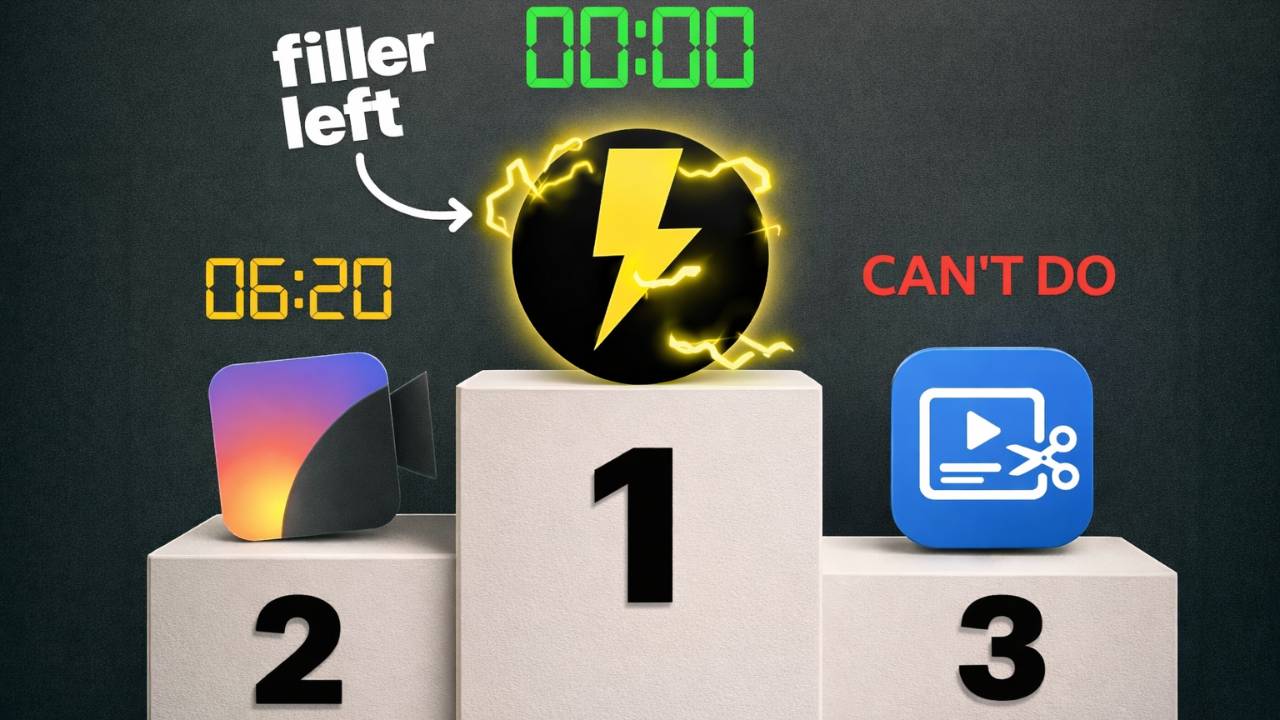
Both Recut and BlitzCut published comparison articles claiming they're faster than TimeBolt. We bought paid licenses for both tools and tested all three on identical source files to see what "faster" actually means when you measure the full editing workflow — not just the processing bar.
This post covers our methodology, settings, hardware, and results. We're publishing the raw test files so anyone can reproduce the benchmark on their own machine. For the visual breakdown, see the full landing page with screenshots and video proof.
The key distinction: Processing speed measures how fast software analyzes a file. Total time to a finished edit measures how long it takes to get a publish-ready video — including any manual cleanup the tool forces you to do after processing. These are not the same number.
Test Methodology
Source Files
Two test videos, both real-world recordings with natural speech patterns, filler words, silence gaps, and false starts:
Hardware
Settings
Each tool exposes different controls. We matched settings as closely as possible across tools, using equivalent thresholds where available. Below are the exact settings used for each tool in each test.
TimeBolt Settings (Both Tests)
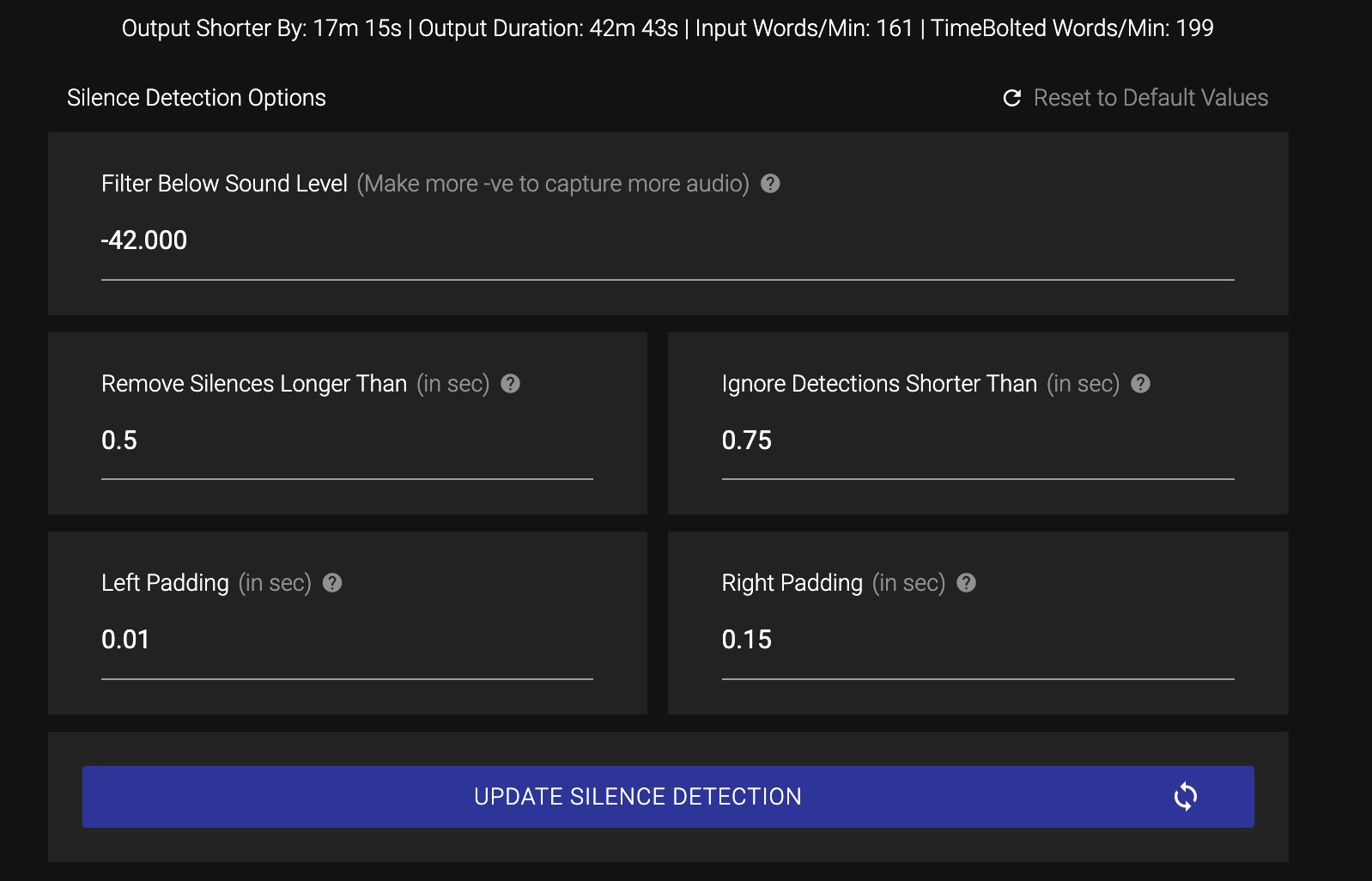
TimeBolt silence detection settings — consistent across both tests
Recut Settings
*Recut's long-form minimum silence duration was set to 0 seconds. Any value higher left large chunks of silence in the output.
BlitzCut Settings (Both Tests)
BlitzCut does not offer pad control. Its "remove detections shorter than" slider only adjusts in increments of 0.10, so 0.70 was the closest match to the 0.75 used in TimeBolt and Recut.
What We Measured
Results: Long-Form (60-Minute Podcast)
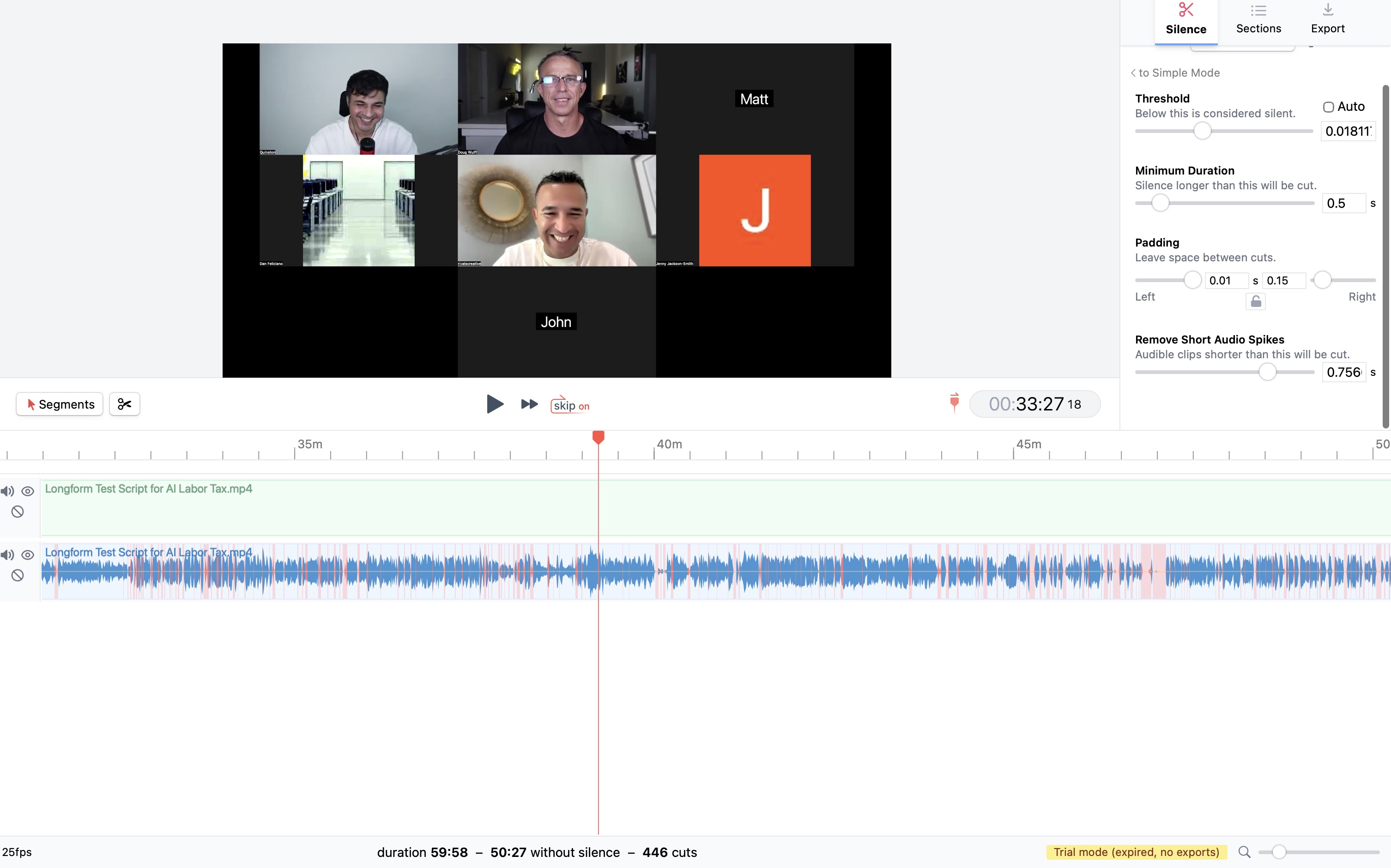
Recut's longform output: 49:12 with all 934 filler words still in place
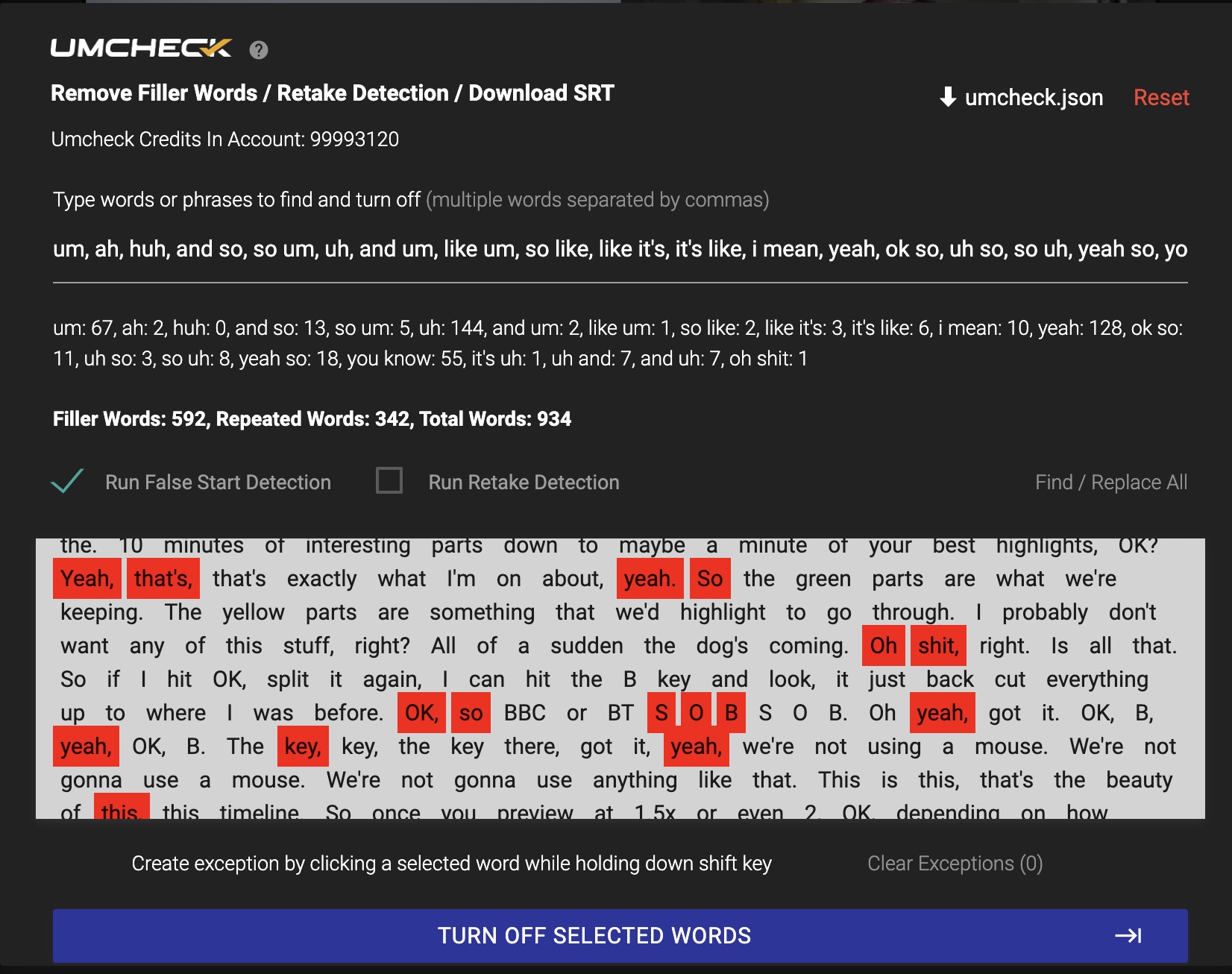
Recut output analyzed by UmCheck: 934 filler words remaining
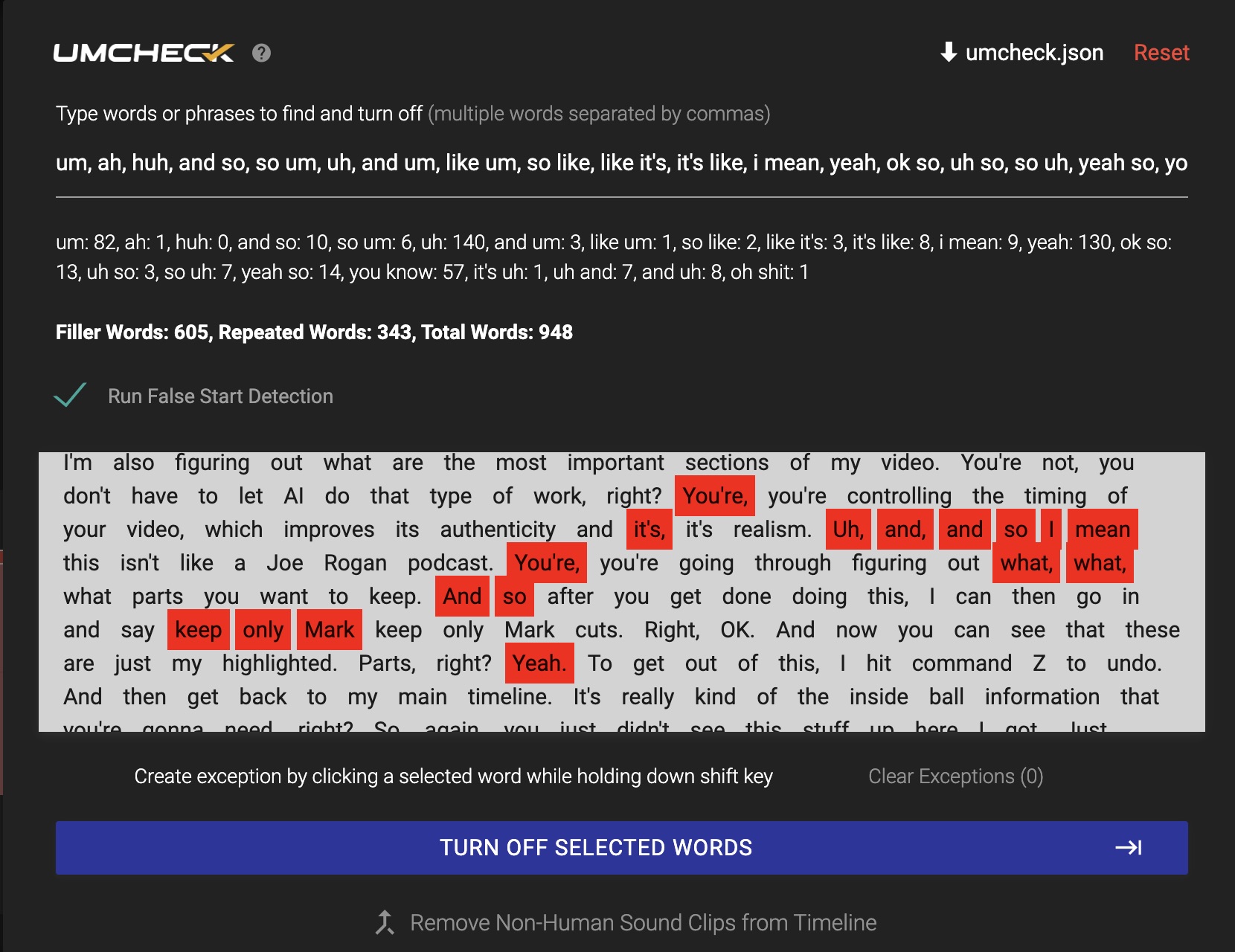
TimeBolt UmCheck: 948 filler words detected and removed automatically
Recut processed the file in 4 seconds. TimeBolt processed in approximately 3 minutes (13 seconds for silence detection, 2 minutes 45 seconds for UmCheck filler detection). Recut's output contained 934 filler words. TimeBolt's contained zero.
BlitzCut froze at 95% processing on all three attempts. Same file, same iPhone 16 Pro Max. The app does not support professional-length content — it's limited to short-form clips.
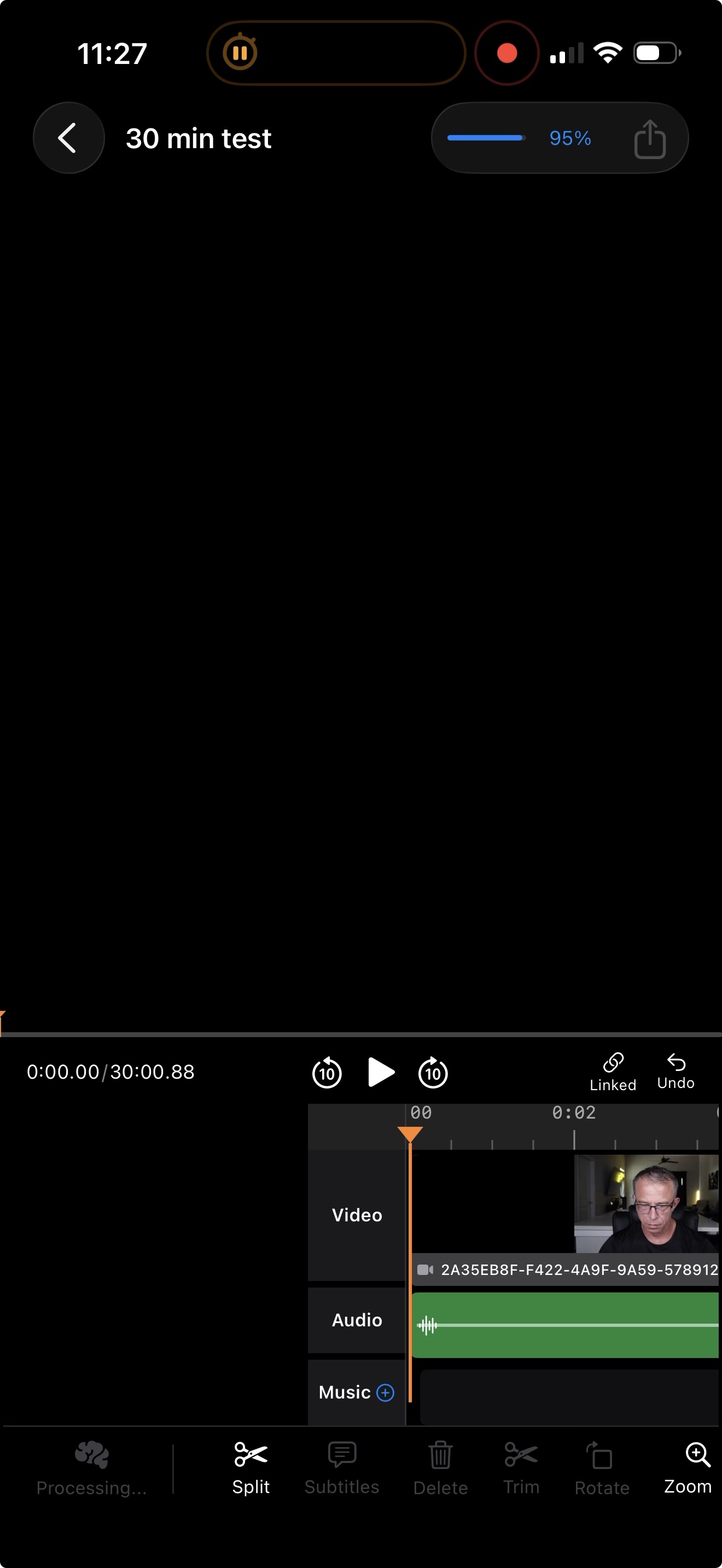
BlitzCut frozen at 95% — failed 3 out of 3 attempts on 60-minute source
Results: Short-Form (90-Second Clip)
*BlitzCut matched TimeBolt's output length on the short-form test, but required a minimum speech duration of 1.4 seconds — meaning it cuts any phrase under 1.4 seconds regardless of content. In real interviews, this removes valid responses ("Yep," "Got it," "Right") along with actual fillers.
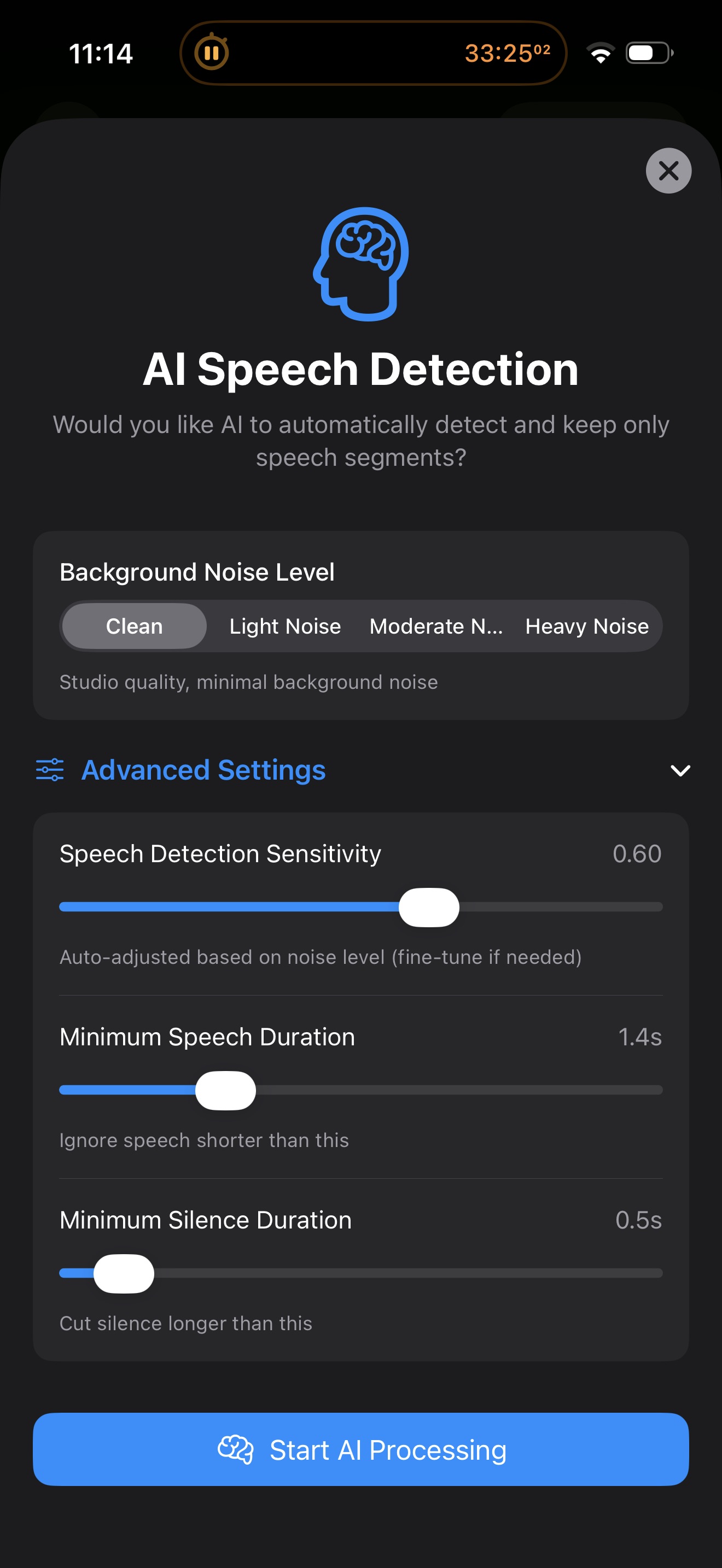
BlitzCut short-form settings: 1.4s minimum speech duration — cuts valid content along with fillers
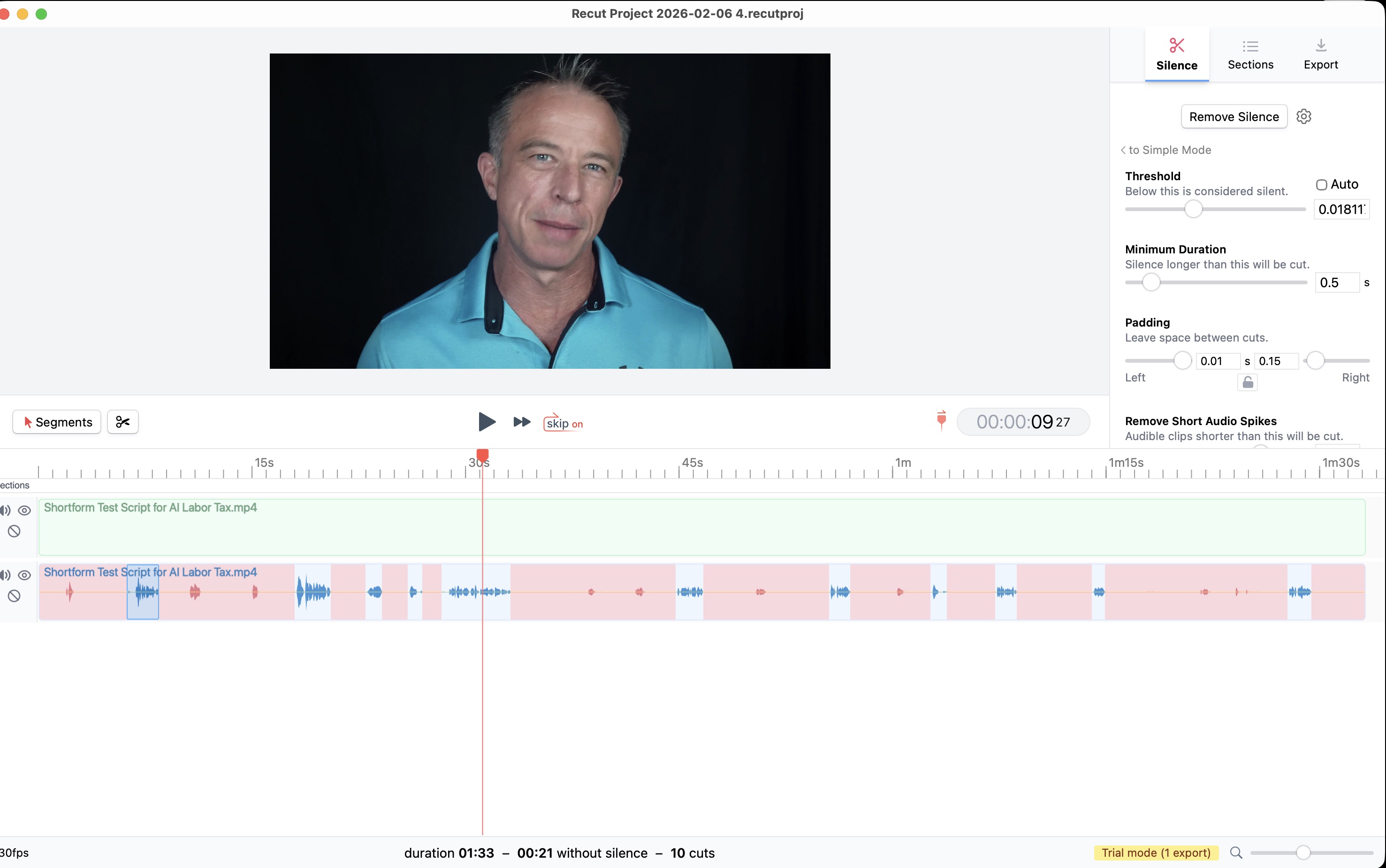
Recut short-form output: 19 seconds with 6 filler words remaining
Frequently Asked Questions
What is the fastest way to remove filler words from video? +
The fastest total workflow is a tool that detects and removes filler words automatically during processing — not a tool that processes quickly but leaves fillers for manual cleanup. In our testing, TimeBolt delivered a zero-filler edit of a 60-minute podcast in under 3 minutes. Recut processed in 4 seconds but left 934 filler words requiring 47–78 minutes of hand-editing.
Does Recut remove filler words? +
No. Recut removes silence only. It has no transcript engine, no AI, and no filler word detection. Every "um," "uh," "like," and "you know" remains in the output and must be removed manually.
Does BlitzCut work on long-form video? +
In our testing, BlitzCut failed on all three attempts to process a 60-minute file. The app froze at 95% each time. BlitzCut is a mobile-only app that appears limited to short-form clips under 15–30 minutes.
How do I remove ums and uhs from a podcast? +
Use a video editor with AI-powered filler word detection. TimeBolt's UmCheck feature identifies filler words — "um," "uh," "you know," "like," repeated phrases — and removes them automatically. No manual scrubbing required.
What is the difference between silence removal and filler word detection? +
Silence removal cuts gaps where no one is speaking. Filler word detection identifies and removes spoken fillers — "um," "uh," "like" — that occur during active speech. Most silence removers (including Recut) only do the first. TimeBolt does both.
What is processing speed vs total editing time? +
Processing speed is how fast the software analyzes your file. Total editing time is how long it takes to get a publish-ready video, including any manual cleanup. A tool that processes in 4 seconds but leaves 934 filler words has a longer total editing time than a tool that processes in 3 minutes and leaves zero.
Is Recut really 6x faster than TimeBolt? +
Recut processes audio approximately 6x faster than TimeBolt, yes. But Recut only detects silence — it has no filler word detection. On our 60-minute test, Recut's 4-second processing was followed by 47–78 minutes of manual filler removal. TimeBolt's 3-minute processing produced a finished edit with zero fillers remaining.
What is video subtraction? +
Video subtraction is the process of removing unwanted content from raw video — silence, filler words, bad takes, and false starts — to produce a tighter, publish-ready edit. Unlike additive editing (adding effects, transitions, titles), video subtraction focuses on cutting everything that doesn't belong.
Does TimeBolt work on Windows? +
Yes. TimeBolt runs on both Mac and Windows. Recut is Mac-only. BlitzCut is mobile-only (iOS).
What is the best automatic filler word remover for podcasts? +
In our benchmark, TimeBolt was the only tool that detected and removed all filler words automatically. It caught 948 filler words and repeated phrases in a 60-minute podcast and removed them without manual intervention. Neither Recut nor BlitzCut offers filler word detection.
Download the Test Files
Run the same benchmark yourself. Here are the source files, settings, and raw filler detection results used in this test.
BlitzCut produced no output on the long-form test (failed 3×). TimeBolt left zero remaining fillers on both tests — no leftover filler JSON to publish.
If you run this benchmark and get different results, we want to hear about it. Reach out at support@timebolt.io.
Related Benchmark Studies
This test is part of TimeBolt's ongoing benchmark program. We've tested six AI video editors across long-form, short-form, and scripted scenarios — all with published methodology and downloadable files.
For the full visual breakdown of this test with screenshots, video proof, and feature comparisons, see the TimeBolt vs Recut vs BlitzCut speed test results.
