The AI Video Editor Tax
The cut is only half the job. What still needs fixing?
We compared silence removal, filler cleanup and bad-take detection across short clips, long recordings and scripted takes. See the outputs, the estimates and the limits of each test.
ratio
review + repair estimate
transcript
last word ends at 14.88s
removal
four scripted datasets
5.5× = Gling’s 220.7 minutes divided by TimeBolt’s 40 minutes in the long-form study. These are review-plus-repair estimates with different review speeds, not measured processing times or a comparison against every editor.
Tests by the TimeBolt team · Sources and limitations
The hidden cost
AI editing isn’t free. You pay in cleanup.
An automatic cut can still need review and repair. These historical studies estimated the repair work on an hour of footage; they did not time every manual edit.
Estimated repair minutes in the published studies
Historical estimates · processing and review excludedReported estimates, not stopwatch results. The repair assumptions still need a consistent, reproducible calculation. Sources: Descript, Gling and Loom; Premiere and CapCut. Loom has no repair-time measurement in this comparison.
The 5.5× ratio uses 220.7 / 40 minutes. TimeBolt review assumes 1.5× playback; other editors use 1×. Read the methods and limitations →
The full data
Every test. Every number.
Historical results from separate TimeBolt studies. Settings and hardware vary by study. Check the source and limitations for each comparison.
90 seconds of raw footage
The original short-test summaries disagree on several output durations and leftover counts. We are holding those figures out of this overview while matching them to the exact output files. Here is what the file check establishes.
| Tool | Evidence checked | What it establishes |
|---|---|---|
| TimeBolt | Output transcript | Last word ends at 14.88s; not a measurement of exact media duration or zero silence. |
| Recut | Filler-left export | 6 listed word entries. No stopwatch cleanup measurement. |
| Descript / Gling / Loom | Short-form study and files | Summary and detailed counts need reconciliation. |
| Premiere / CapCut | NLE study | See the original report; output files not independently rechecked in this audit. |
Sources: short-form comparison and Recut / BlitzCut methods and source recordings. Word timestamps alone cannot verify audible silence, preserved meaning or manual editing time.
One hour of raw footage
Published review and repair estimates for an hour-long recording. TimeBolt’s 40 minutes includes review; it is not hands-off processing time.
| Tool | Silence reported | Fillers reported | Review estimate (min) | Repair estimate (min) | Estimated total |
|---|---|---|---|---|---|
| TimeBolt✓ | 0s | 0 | 40.0 | 0.0 | 40.0 min |
| Recut | — | Under review | — | — | Not reconciled |
| Descript | 171s | 448 | 47.9 | 52.0 | 99.9 min |
| CapCut | 229s | 489 | 46.7 | 59.8 | 106.5 min |
| Premiere | 103s | 684 | 48.8 | 65.6 | 114.4 min |
| Gling | 70s | 607 | 46.3 | 174.4 | 220.7 min |
| BlitzCut | — | — | — | — | Failed 3× |
| Loom | — | — | 57.8 | Not timed | Not timed |
Total = estimated review + estimated repair; processing and export are not included. TimeBolt review uses 1.5× playback; others use 1×. These are historical reported values, not a fresh independent retest. Sources: long-form study and output files; Premiere / CapCut study. Recut is withheld because its 934-filler claim and cleanup assumptions are not yet reconciled with the exports. Recut / BlitzCut source study. BlitzCut’s three failures describe that test, not a universal duration limit.
Cutting retakes without cutting meaning
The hardest job in auto-editing: kill the restarts, keep every real word. Scored on four scripted datasets. This study compares TimeBolt, Gling and Descript.
| Tool | Mean recall | Mean precision | Mean F1 |
|---|---|---|---|
| TimeBolt✓ | 96.8% | 85.5% | 90.6% |
| Gling | 96.7% | 77.5% | 85.4% |
| Descript | 97.1% | 71.4% | 80.4% |
Recall measures preservation of reference words; precision measures how much retained text matches the reference. F1 balances both. Each column is the arithmetic mean of four dataset scores, not a pooled score. Read the bad-take study, scripts and outputs.
The full data
Every test. Every number.
Historical results from separate TimeBolt studies. Settings and hardware vary by study. Check the source and limitations for each comparison.
90 seconds of raw footage
The original short-test summaries disagree on several output durations and leftover counts. We are holding those figures out of this overview while matching them to the exact output files. Here is what the file check establishes.
| Tool | Evidence checked | What it establishes |
|---|---|---|
| TimeBolt | Output transcript | Last word ends at 14.88s; not a measurement of exact media duration or zero silence. |
| Recut | Filler-left export | 6 listed word entries. No stopwatch cleanup measurement. |
| Descript / Gling / Loom | Short-form study and files | Summary and detailed counts need reconciliation. |
| Premiere / CapCut | NLE study | See the original report; output files not independently rechecked in this audit. |
Sources: short-form comparison and Recut / BlitzCut methods and source recordings. Word timestamps alone cannot verify audible silence, preserved meaning or manual editing time.
One hour of raw footage
Published review and repair estimates for an hour-long recording. TimeBolt’s 40 minutes includes review; it is not hands-off processing time.
| Tool | Silence reported | Fillers reported | Review estimate (min) | Repair estimate (min) | Estimated total |
|---|---|---|---|---|---|
| TimeBolt✓ | 0s | 0 | 40.0 | 0.0 | 40.0 min |
| Recut | — | Under review | — | — | Not reconciled |
| Descript | 171s | 448 | 47.9 | 52.0 | 99.9 min |
| CapCut | 229s | 489 | 46.7 | 59.8 | 106.5 min |
| Premiere | 103s | 684 | 48.8 | 65.6 | 114.4 min |
| Gling | 70s | 607 | 46.3 | 174.4 | 220.7 min |
| BlitzCut | — | — | — | — | Failed 3× |
| Loom | — | — | 57.8 | Not timed | Not timed |
Total = estimated review + estimated repair; processing and export are not included. TimeBolt review uses 1.5× playback; others use 1×. These are historical reported values, not a fresh independent retest. Sources: long-form study and output files; Premiere / CapCut study. Recut is withheld because its 934-filler claim and cleanup assumptions are not yet reconciled with the exports. Recut / BlitzCut source study. BlitzCut’s three failures describe that test, not a universal duration limit.
Cutting retakes without cutting meaning
The hardest job in auto-editing: kill the restarts, keep every real word. Scored on four scripted datasets. This study compares TimeBolt, Gling and Descript.
| Tool | Mean recall | Mean precision | Mean F1 |
|---|---|---|---|
| TimeBolt✓ | 96.8% | 85.5% | 90.6% |
| Gling | 96.7% | 77.5% | 85.4% |
| Descript | 97.1% | 71.4% | 80.4% |
Recall measures preservation of reference words; precision measures how much retained text matches the reference. F1 balances both. Each column is the arithmetic mean of four dataset scores, not a pooled score. Read the bad-take study, scripts and outputs.
Stop hand-fixing what the AI missed. Let TimeBolt finish the job.
Mac & Windows · Free to download · No credit card
Why it works
Silence, fillers and bad takes. One editing workflow.
TimeBolt combines waveform-based silence cuts with filler and bad-take detection. Set the padding around speech, run the cleanup you need, then listen back and adjust the cut. Silence removal and filler removal are different steps.
Why waveform cuts win
- The waveform shows audio level over time, helping you place cuts.
- Check cut boundaries against the audio you hear.
- Silence detection depends on thresholds, background noise and your recording.
- You set the padding, so the cadence stays natural, not robotic.
See it in action
When YouTuber Excelerator hit the bad-data wall in Descript, the waveform was the fix.
And when you want AI on top
UMCheck adds token-awareness as an optional, on-device layer — catch a specific “you know” on command. The waveform still dictates the cut. AI on top, signal underneath.
How we tested
See the recordings. Check the results.
These studies were conducted by the TimeBolt team. They cover different recordings and test conditions. Historical results are not a guarantee for your footage or current app versions. This overview was clarified on September 13, 2026; that is not a new test date.
What the numbers mean
The published studies
Short-Form Accuracy Test
93-second clip vs Descript, Gling & Loom.
Read the study →Long-Form Accuracy Test
60-minute recording vs Descript, Gling & Loom.
Read the study →Premiere & CapCut Benchmark
Short + long form vs the traditional NLEs.
Read the study →Bad-Take Removal Test
Four scripted datasets vs Gling & Descript.
Read the study →Speed vs Silence-Only Tools
TimeBolt vs Recut & BlitzCut — why fast processing isn’t a fast edit.
Read the study →Recut / BlitzCut Methods & Files
Source recordings, settings and exports for the Recut / BlitzCut comparison.
Get the files →The study pages link their supporting recordings, scripts and exports. Missing information is not treated as verified. If your results differ, contact us with the source file, app version and settings.
Keep or cut with a keystroke.
Turn scenes on or off as you preview at up to 4× speed. No mouse needed.
while you cut
at the keyboard
mouse
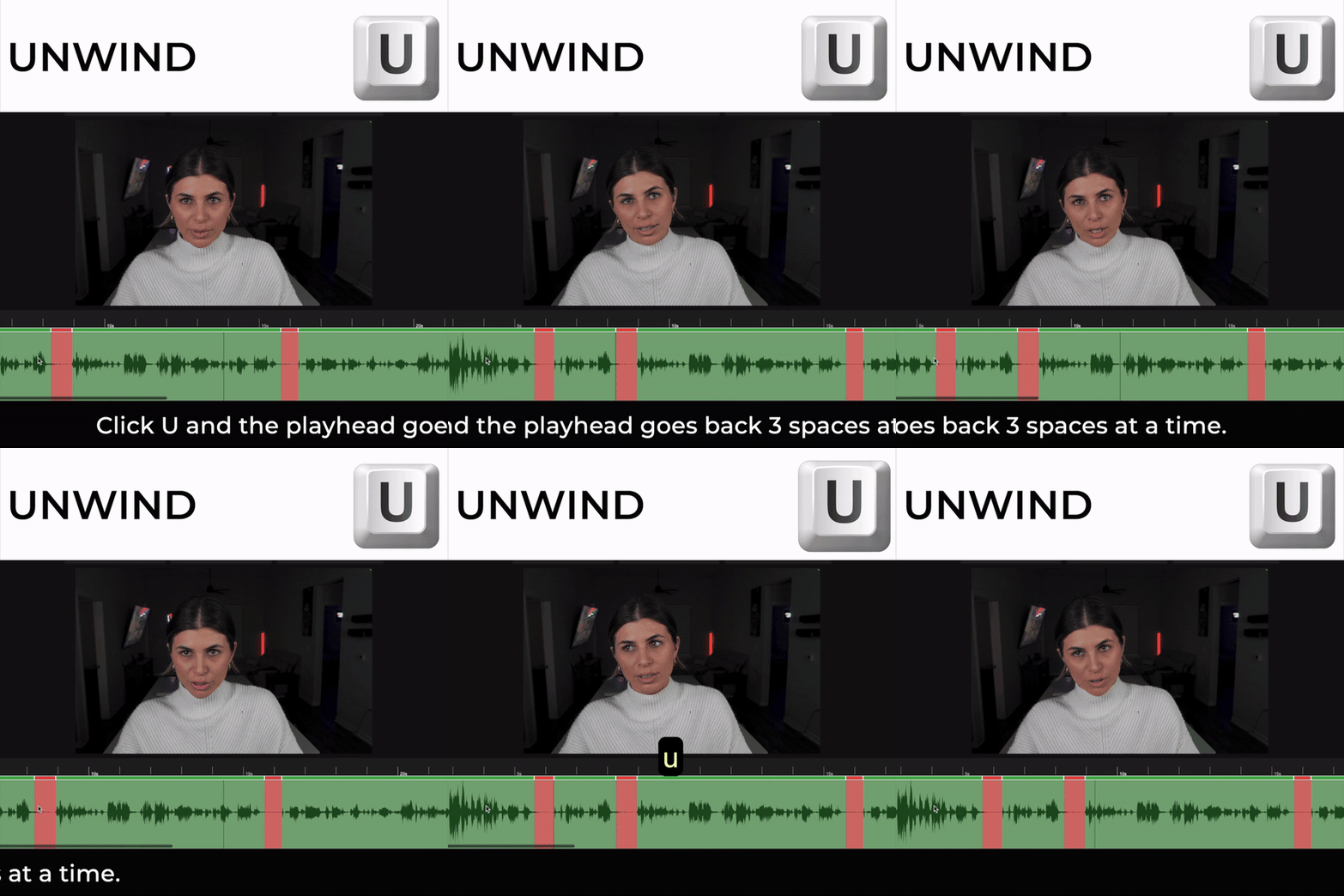
Roll a cut back to recover frames — no re-trimming.
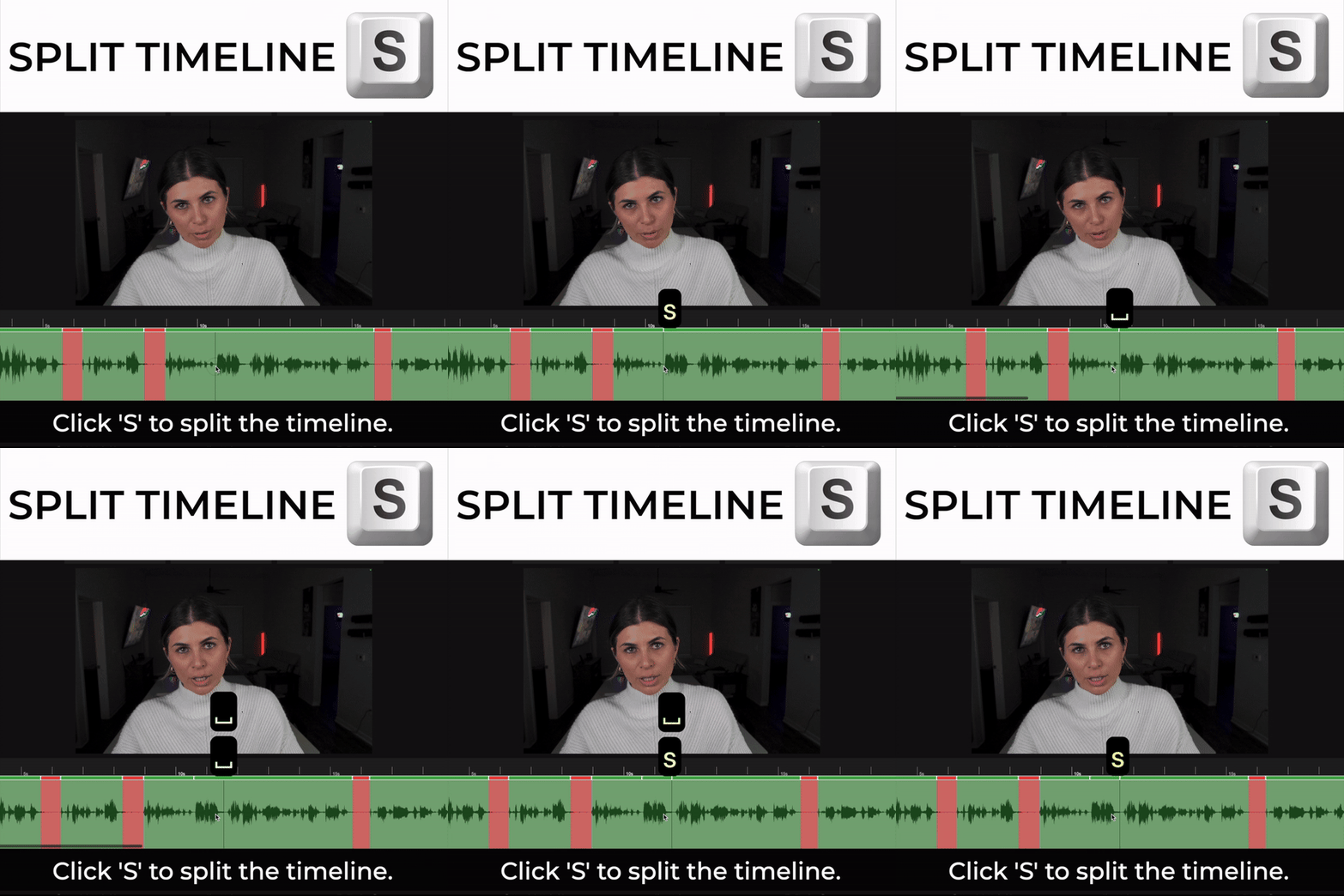
Slice at the playhead in one keystroke.
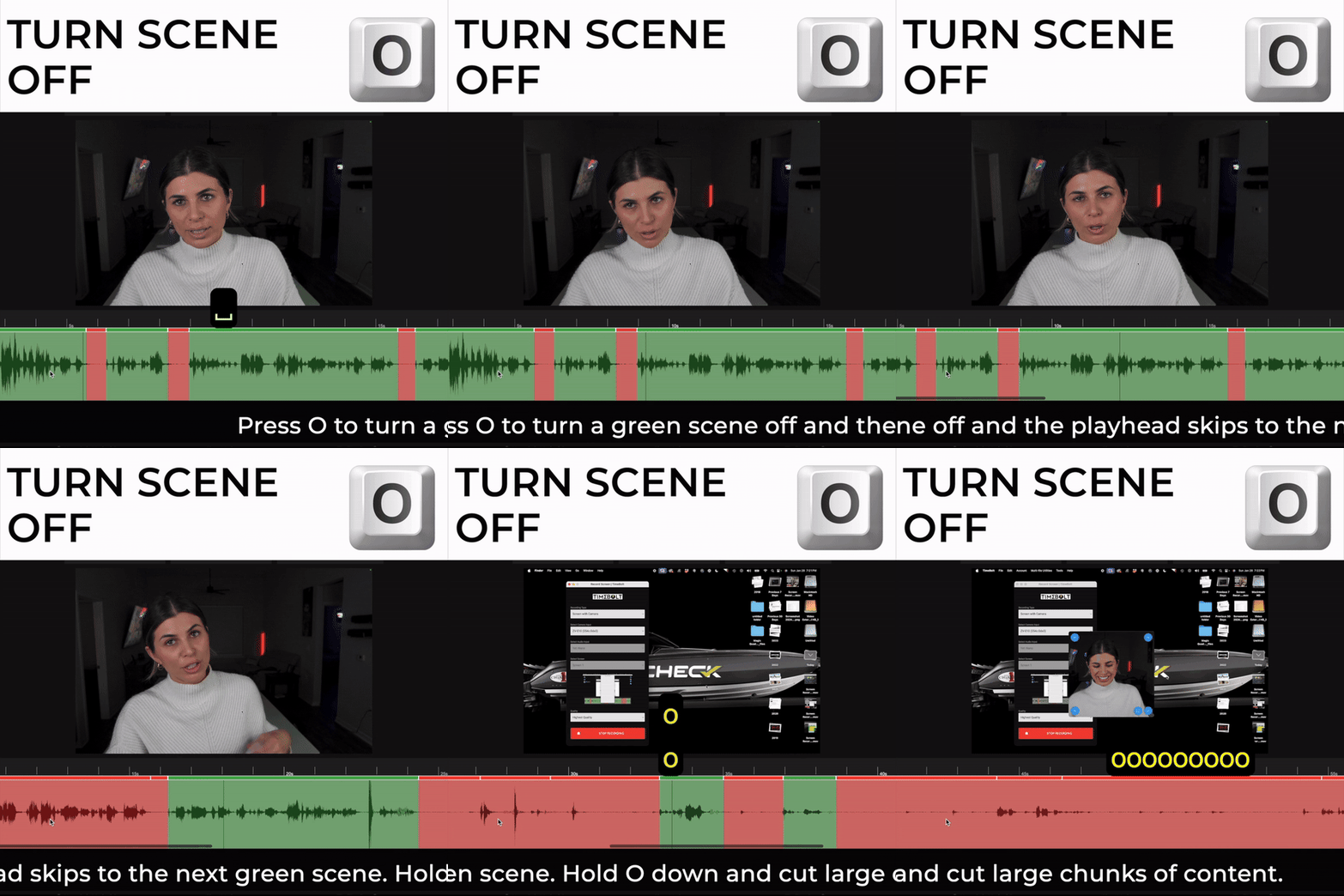
Drop a scene out, or back in, instantly.
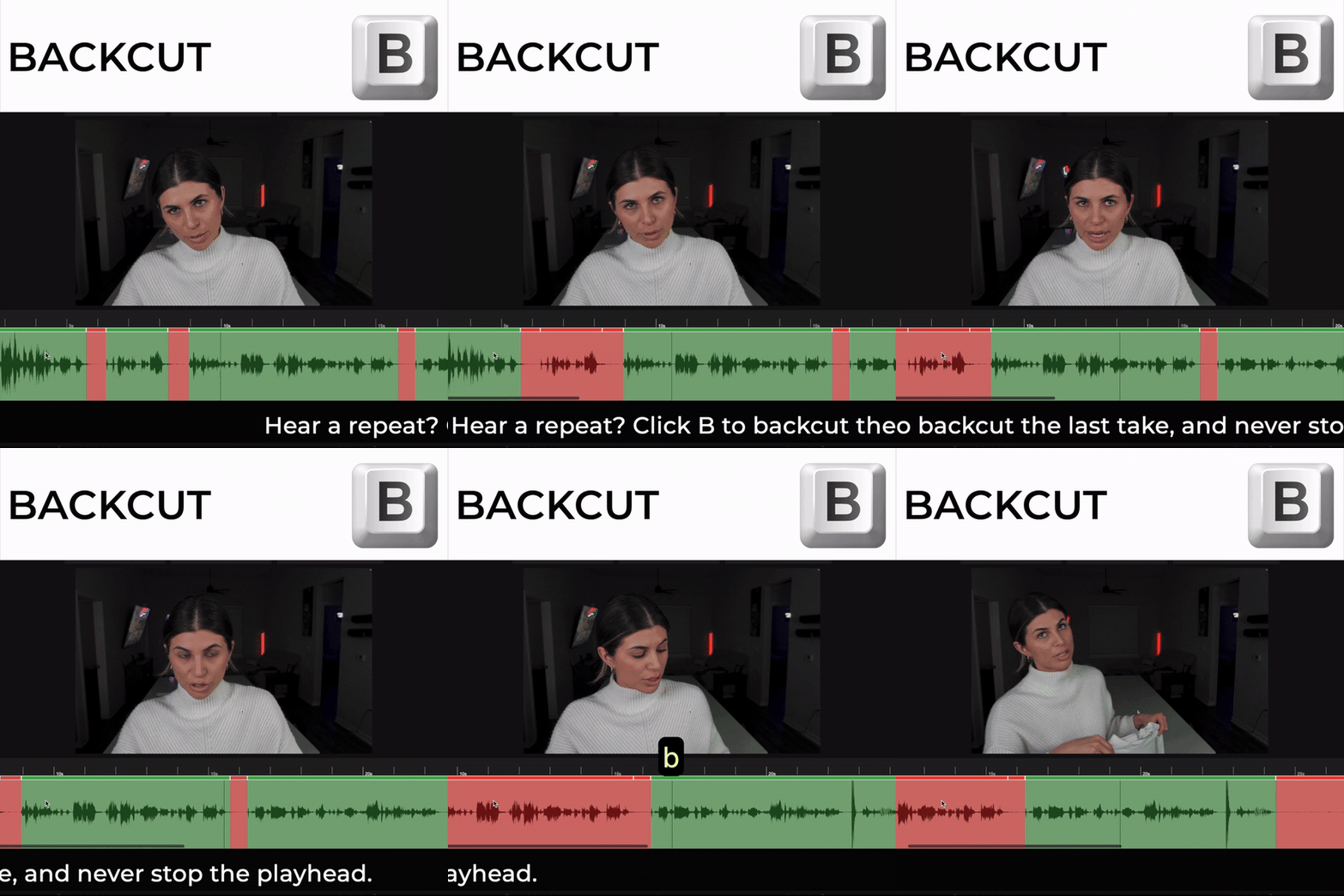
Trim backward without leaving the keyboard.
Stop paying the AI editor tax.
Auto remove silence, filler words and bad takes. Review the cut and keep what you meant to say, on Mac or Windows.
Download TimeBoltMac & Windows · Free to download · No credit card required
Work in a regulated industry?
Healthcare, finance, legal and defense teams run the same engine fully on-premises — no cloud, nothing leaves your network.